16 Aug,2026 (Sun) 10:24
設定などを忘れそうなので記録しておきます。
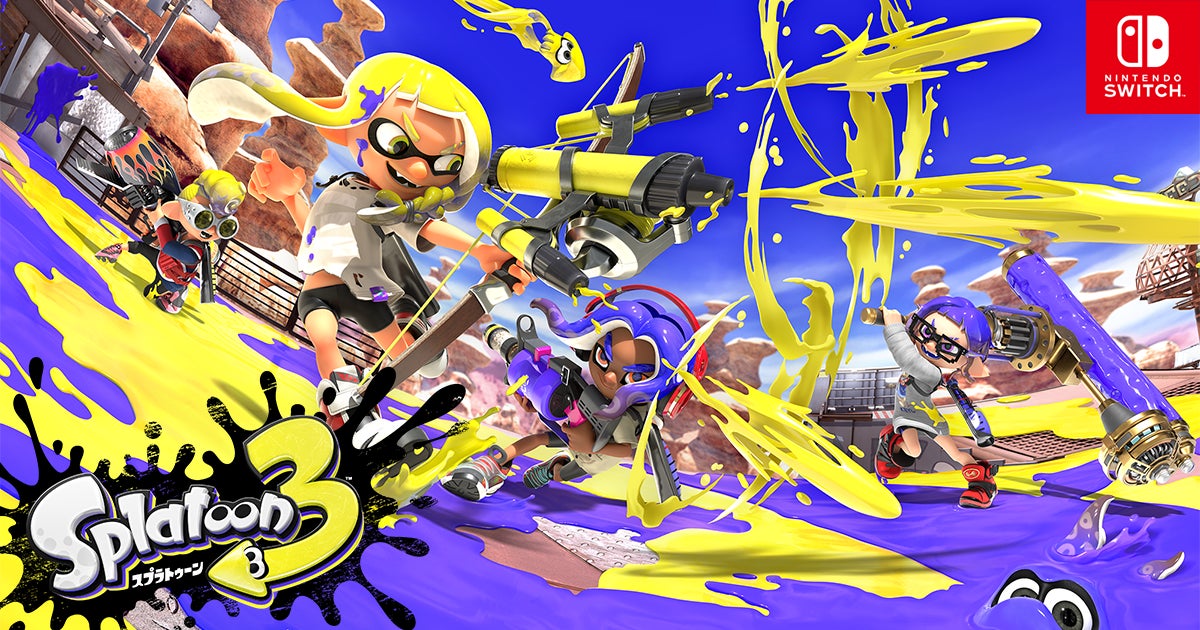
サイトのURLをコピーして[/]ショートコードを選択。リンクカードのアイコンをクリックすると、入力欄に[sc_Linkcard url=””]と表示されるので、url=””の部分にURLを貼り付ける
横画面のcss
    .mono-linkcard-image      { flex                    : 0 0 15vw;
                                width                   : 15vw;
                                height                  : 18vh;
                                overflow                : hidden;
                                margin-left             : 20px;
                                margin-bottom           : 20px;
    }
縦画面のcss
    .mono-linkcard            { width                   : 80%;
    }
    .mono-linkcard a          { display                 : block;
    }
    .mono-linkcard-image      { width                   : 100%;
                                height                  : auto;
    }
    .mono-linkcard-image img  { width                   : 100%;
                                height                  : auto;
    }
    .mono-linkcard-image      { margin                  : 0;
                                padding                 : 0;
                                width                   : 100%;
    }
    .mono-linkcard-image img  { display                 : block;
                                margin                  : 0;
                                padding                 : 0;
                                width                   : 100%;
                                height                  : auto;
    }
    .mono-linkcard-title      { color                   : #000;
    }
投稿のURLをコピーして[<>]埋め込みを選択してURL欄に貼り付ける
CSSはこれ
    .postkiji .twitter-tweet  { width                   : 100% !important;
                                max-width               : 100% !important;
                                margin                  : 20px auto !important;
    }
    .postkiji .twitter-tweet-rendered {
                                width                   : 100% !important;
                                max-width               : 100% !important;
                                margin                  : 20px auto !important;
}動画[▶]を選んで、アップロードをクリックして表示したい動画を選択する。
※ちなみに、この動画はGemini notebookが生成したこのサイトの紹介動画です。
cssは縦・横共通でstyle.cssに書いておきます
/* ==================================================
   WordPress純正 動画埋め込み
   ================================================== */

.postkiji .wp-block-video {
    width: 80%;
    max-width: 80%;
    margin: 20px auto;
}

.postkiji .wp-block-video video {
    display: block;
    width: 100% !important;
    max-width: 100% !important;
    height: auto;
    margin: 0;
}投稿のURLをコピーして[▶]youtubeを選択してURL欄に貼り付ける
cssは縦・横共通でstyle.cssに書いておきます
/* ==================================================
   YouTube / 動画埋め込み
   ================================================== */

.postkiji .wp-block-video,
.postkiji .wp-block-embed {
    width: 80% !important;
    max-width: 80% !important;
    margin: 20px auto !important;
}

.postkiji .wp-block-video video,
.postkiji .wp-block-embed__wrapper,
.postkiji .wp-block-embed iframe {
    display: block;
    width: 100% !important;
    max-width: 100% !important;
    margin: 0 auto !important;
}PDFの埋め込みは、あらかじめメディアライブラリにアップロードしたPDFのURLをコピーして[/]ショートコードを選択。PDFのアイコンをクリックすると、入力欄に[pdf_viewe url=””]と表示されるので、url=””の部分にURLを貼り付ける
cssは縦・横共通の設定がstyle.cssに書いてある。
/* PDFビューアー ------------------------------------------------------------------------ */
    .mono-pdf-viewer          { width                   : 80%;
                                margin                  : 30px auto;
    }
    .mono-pdf-stage           { width                   : 100%;
                                max-height              : 80vh;
                                overflow                : hidden;
                                position                : relative;
                                text-align              : center;
                                background              : #333;
    }
    .mono-pdf-page-wrap       { width                   : 100%;
                                position                : relative;
                                overflow                : hidden;
    }
    .mono-pdf-canvas          { display                 : block;
                                max-width               : 100%;
                                height                  : auto;
                                margin                  : 0 auto;
    }
    /* --------------------------------------------------
       PDFコントロール
       -------------------------------------------------- */
    .mono-pdf-controls        { display                 : flex;
                                justify-content         : center;
                                align-items             : center;
                                gap                     : 20px;
                                margin-top              : 15px;
    }
    /* --------------------------------------------------
       戻る・送るボタン
       -------------------------------------------------- */
    .mono-pdf-prev,
    .mono-pdf-next            { width                   : 40px;
                                height                  : 40px;
                                min-width               : 40px;
                                padding                 : 0;
                                border                  : 1px solid rgba(255,255,255,0.35);
                                border-radius           : 50%;
                                background              : rgba(0,0,0,0.65);
                                color                   : #fff;
                                font-size               : 15px;
                                line-height             : 38px;
                                text-align              : center;
                                cursor                  : pointer;
                                transition              : .15s;
    }
    /* hover */
    .mono-pdf-prev:hover,
    .mono-pdf-next:hover      { background              : rgba(0,0,0,0.85);
    }
    /* 押した瞬間 */
    .mono-pdf-prev:active,
    .mono-pdf-next:active     { background              : #000;
                                transform               : scale(0.94);
    }
    /* 無効 */
    .mono-pdf-prev:disabled,
    .mono-pdf-next:disabled   { opacity                 : 0.25;
                                cursor                  : default;
    }
    /* --------------------------------------------------
       ページ番号
       -------------------------------------------------- */
    .mono-pdf-page-info       { display                 : flex;
                                align-items             : center;
                                gap                     : 6px;
                                white-space             : nowrap;
                                color                   : #333;
                                font-size               : 14px;
    }
    /* ページ入力 */
    .mono-pdf-page-input      { width                   : 48px;
                                height                  : 34px;
                                padding                 : 0 5px;
                                border                  : 1px solid #aaa;
                                border-radius           : 4px;
                                background              : #fff;
                                color                   : #333;
                                text-align              : center;
                                font-size               : 14px;
                                line-height             : 32px;
                                box-sizing              : border-box;
    }
    /* フォーカス */
    .mono-pdf-page-input:focus{ outline                 : none;
                                border-color            : #666;
    }
    /* --------------------------------------------------
       スマホ
       -------------------------------------------------- */
    @media screen and (max-width: 680px) {
        .mono-pdf-controls {
            gap                     : 12px;
            margin-top              : 12px;
        }
        .mono-pdf-prev,
        .mono-pdf-next {
            width                   : 38px;
            height                  : 38px;
            min-width               : 38px;
            font-size               : 14px;
            line-height              : 36px;
        }
        .mono-pdf-page-info {
            gap                     : 5px;
            font-size               : 13px;
        }
        .mono-pdf-page-input {
            width                   : 44px;
            height                  : 32px;
            font-size               : 13px;
        }
}ソースをそのまま表示する場合は、< >コードを選択する。コードブロックのcssはこんな感じ。
    .postkiji pre code {
                                display                 : block;
                                width                   : auto;
                                margin                  : 0;
                                padding                 : 0;
                                background              : transparent;
                                color                   : inherit;
                                border-radius           : 0;
                                font-family             : inherit;
                                font-size               : inherit;
                                line-height             : inherit;
}ここに引用文
引用元はここ
改行した2行目
3行目
記事は右側のリストメニューから探せます。
初めての方は下のおすすめ記事からどうぞ。
MONO 0373のを運営している人と、このサイトについての紹介。
サイト制作の考え方や、記事を書く際の工夫など。